AI code review is when you point a language model at your whole codebase and let it read every file, line by line, looking for the bugs, dead features, and security holes a person skims right past. That is the whole trick. No magic. You just let a machine do the boring, total read that you, a human with a to-do list, will never actually sit down and do.
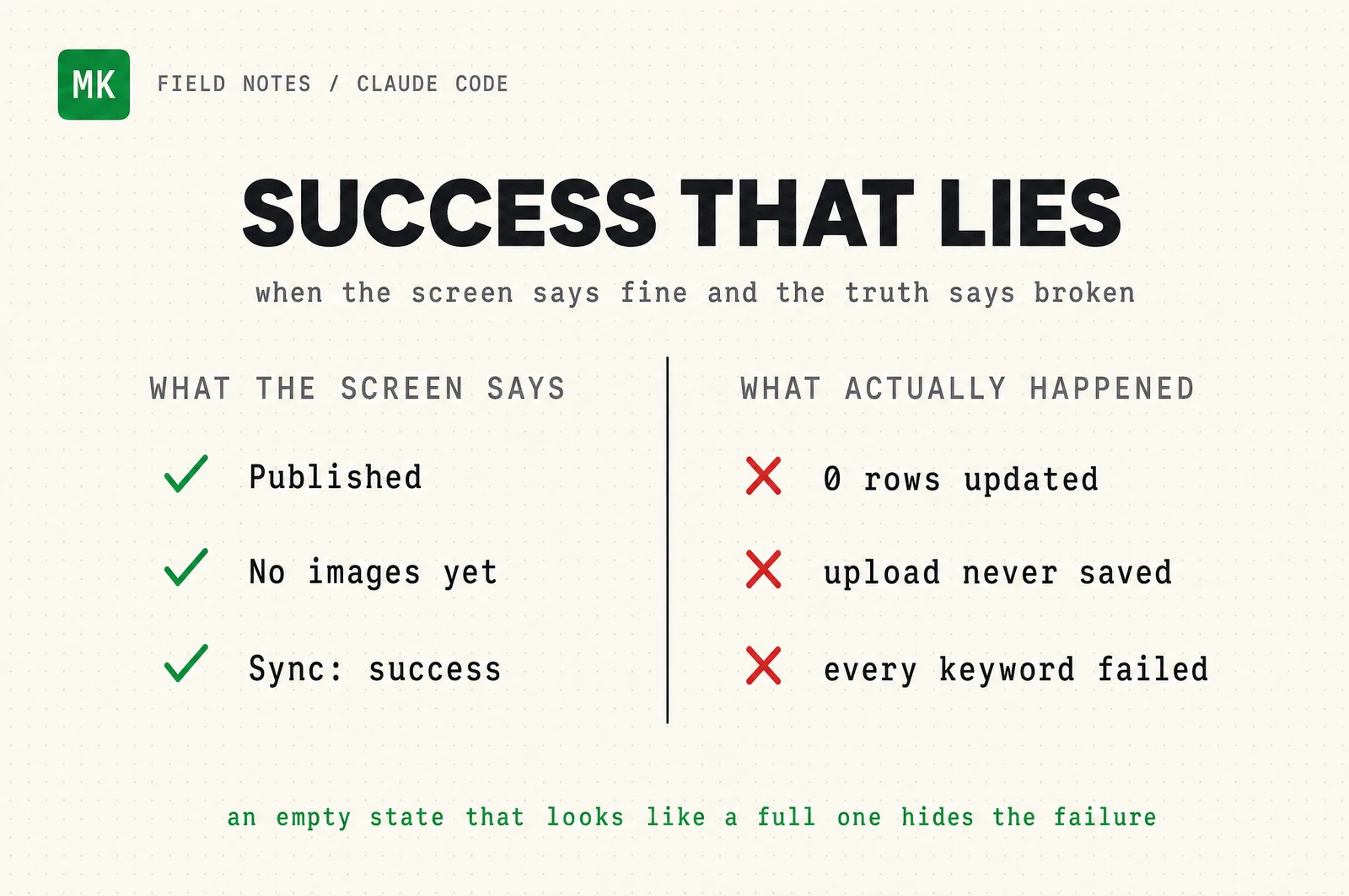
Here is the part that matters. The scariest bugs I find this way are never the ones throwing errors. They are the ones sitting there looking completely fine. A signup that says "You're in." A dashboard that says "no data yet." A publish button that turns green. Every one of those can be lying to you, and you would never catch it by clicking around.
Why I re-audit on a schedule, not once
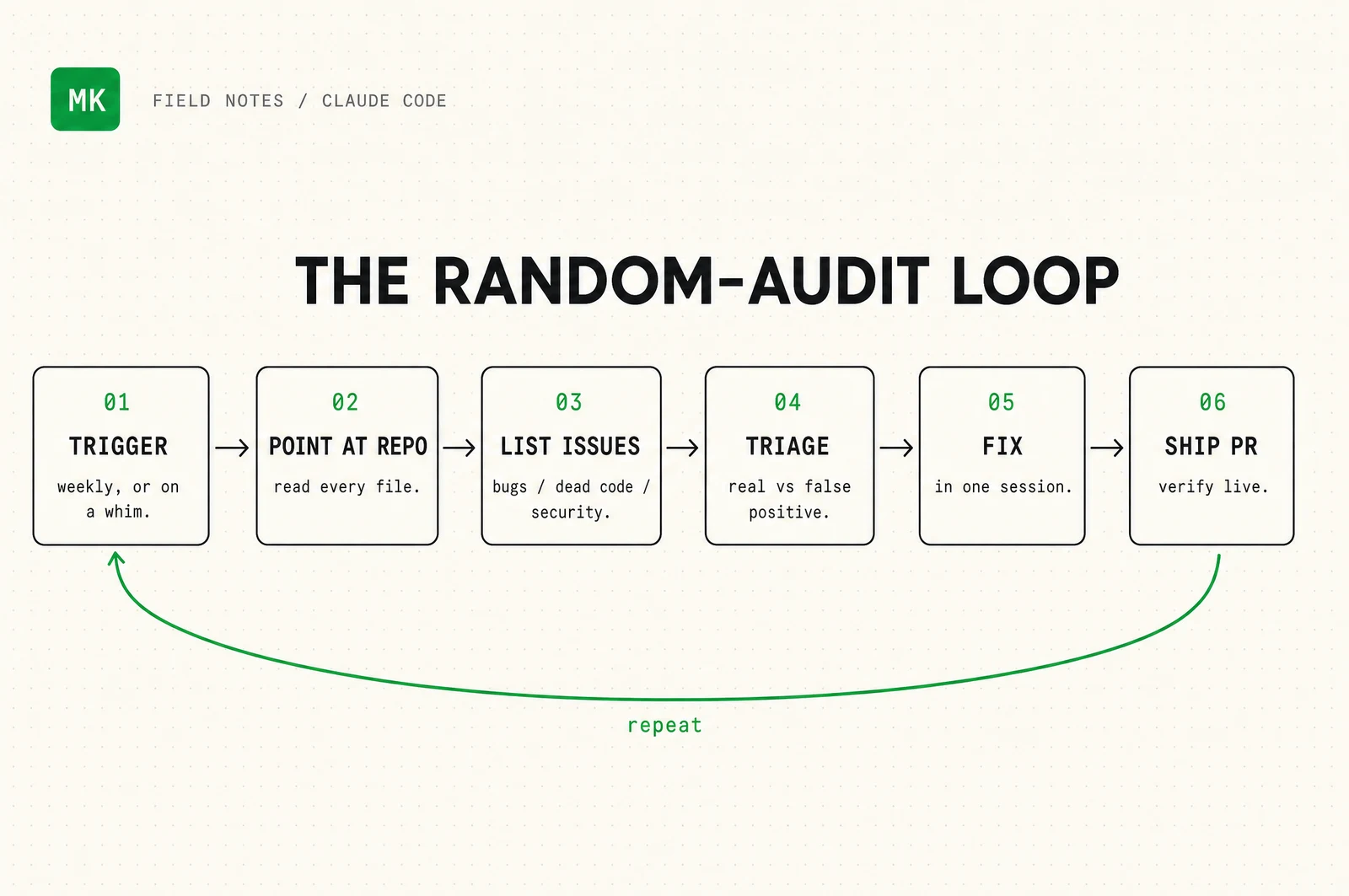
I did this once, a while back, and wrote it up. Then I kept building. New posts, new pages, a whole email pipeline. Code rots. Every feature you add is a new place for something to quietly break. So now I do not treat the audit as a one-time event. I point AI at this site on a whim, every few weeks, the way you test a smoke alarm you hope never goes off.
The read is cheap now. That changes the math. When a full pass over your codebase costs a few minutes instead of a few days, you run it often, and you catch the rot while it is small.
The AI code review workflow, step by step
The method is three prompts and a rule. The rule: never trust the first list.
First, recon. Before it hunts, the model needs the map.
Read this whole repository. Do not change anything yet.
Give me a dense brief: every route, where writes happen and what
guards them, the external surfaces, and the 3 riskiest areas to
look at first. Cite real files and lines. Do not guess.
Then the hunt. This is the prompt that earns its keep, because it aims straight at the bugs that look fine.
Audit for defects that would look FINE if I clicked around the live
site. I care most about "success that lies": an error that gets
swallowed, a write that changes 0 rows but still says "saved," an
empty state indistinguishable from a broken feature, a form that
says "done" when nothing was sent. For each finding: the file and
line, the exact trigger, and how severe it really is.
Then the step almost everyone skips. You make it argue against its own findings.
Take each finding and try to REFUTE it. Re-read the code. Can the
failure actually happen, or does it need impossible state? Build the
minimal trigger. If you cannot, mark it refuted. Return only the
findings that survive, ranked by real severity.
That last prompt is the difference between a useful audit and a wall of false alarms. On the run I am about to show you, the first pass produced 53 findings. After I made the model try to break each one, 21 survived. If I had trusted the raw list, I would have wasted an afternoon chasing 32 ghosts.
The first list is a brainstorm, not a verdict. Make the model earn every finding before you touch a line.
The model that will not do security, and the one that will
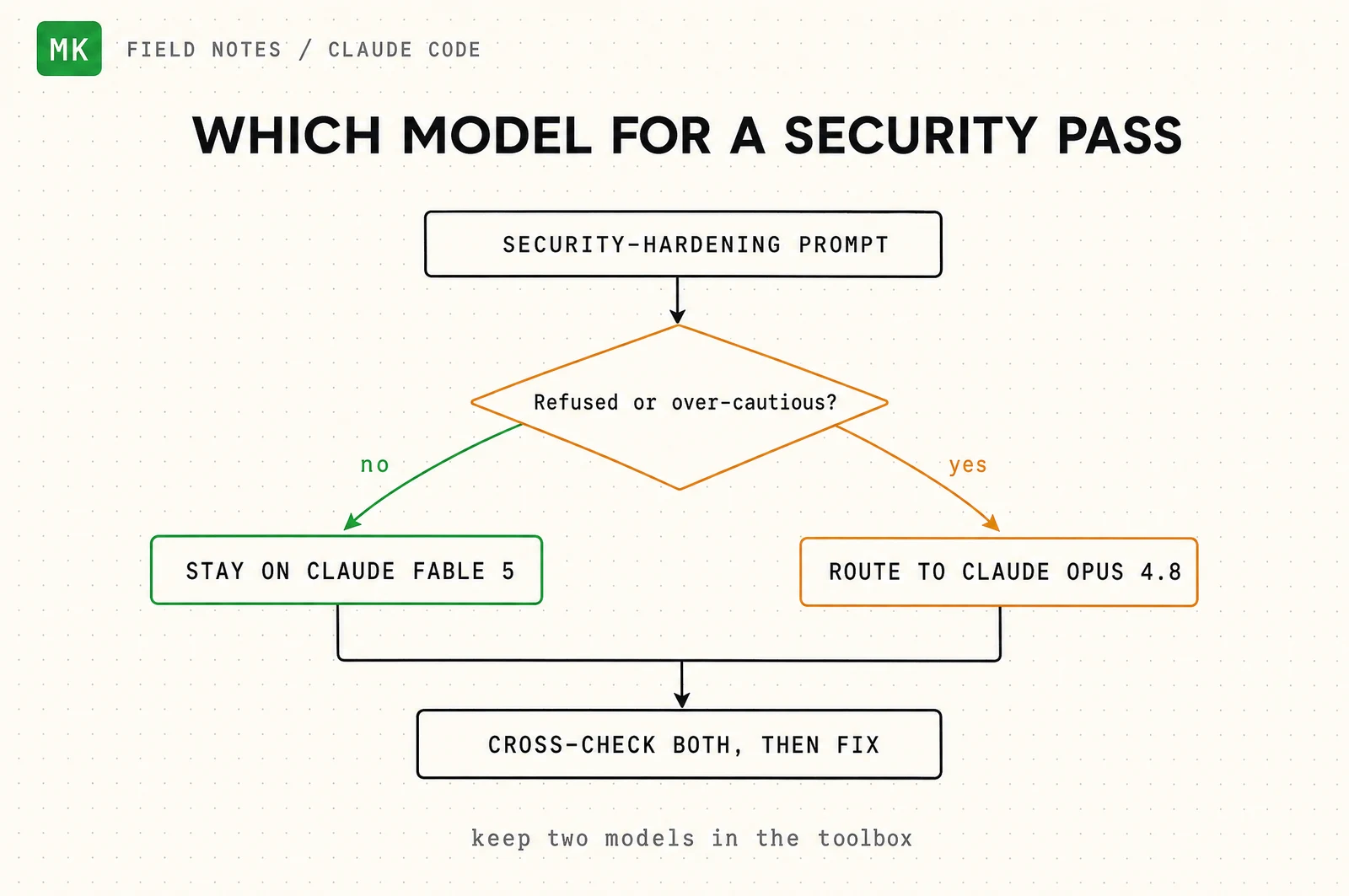
Here is an honest wrinkle nobody tells you. Sometimes the newest, smartest model gets cautious on heavy security-hardening prompts and stalls out. It is not broken. It is being careful. But careful does not fix your auth flow.
So model choice is part of the workflow. When a security pass stalls, I route it to a slightly older model (for me, that is Claude Opus 4.8), let it do the blunt work, then cross-check the two. Two models in the toolbox, not one.
Round one: what it caught the first time
The first audit read 52 files in one pass and found 14 issues. Most were small. Three were not, and all three looked completely fine.
An open redirect hid in the sign-in flow. Two whole features were dead in a quiet way: a ranking tracker that processed zero keywords every run and reported success, and a media library that never saved uploads so it forever showed "no images." And a publish button that turned green while the post stayed unpublished, because the database update matched zero rows and returned "ok" anyway.
They share one root cause. The database client never throws. It hands back a result and an error side by side, and if you only read the result, a failure reads as a blank success.
// The trap: this "works" and hides every failure.
const { data } = await db.from("posts").update(fields).eq("id", id);
// data can be [] when a rule blocked the write, and you still say "Saved!"

// The fix: read the error AND the row count.
const { data, error } = await db.from("posts")
  .update(fields).eq("id", id).select("id");
if (error) return { ok: false, error: error.message };
if (!data?.length) return { ok: false, error: "Nothing was saved." };
Round two: what it caught now
Then I came back as a new model, Claude Fable 5, and pointed it at the same site, now bigger. Fifty-three findings, twenty-one real after triage. A few of the ones that mattered:
A photo on my About page, saved as a 1.1MB image with no dimensions, that looked perfect and quietly failed Core Web Vitals: it delayed the page and shoved the text down a thousand pixels as it loaded. One point one megabytes down to seventy-seven kilobytes.
The publish button that lied, again, in a new place. If the save failed, the editor still flipped to "Published" with the old content live.
The tool I used to publish this very post could have silently unpublished a live post on a naming clash. I found it and fixed it before I used it.
A signup that said "You're in" even when the popup was blocked, which is every in-app browser, silently dropping the lead.
A dashboard that would start lying the moment it crossed a thousand rows of data.
Every one of those was shipped and verified before I wrote this sentence. Not a sprint. One session.
How you do this to your own site
You do not have to be a developer to run this. Open Claude Code, point it at your project, and paste the three prompts in order. When it hands you a fix, make it tell you what changed and how to check it before you ship. The prompts do the reading. You make the call.
If you want the exact set I run, with the recon, hunt, triage, and verify prompts cleaned up and ready to paste, take the pack.
Run it on a whim. The bugs that look fine are the ones worth finding, and they are hiding in your site right now. The rest of the archive is over here.